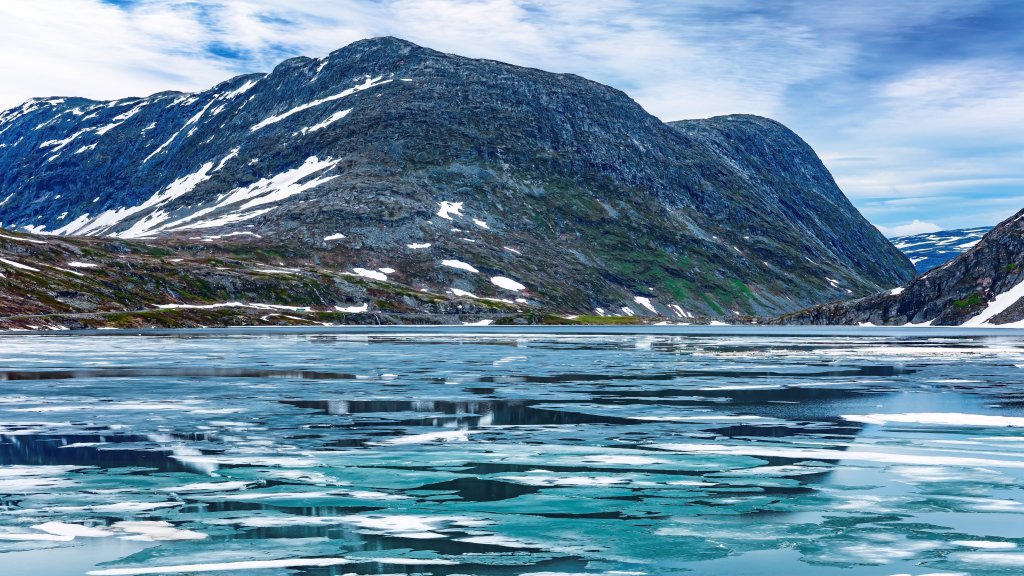
Lake Djupvatnet, Geiranger, Norway
Sign in to add this photo to your favorites and desktop wallpaper rotation.
Lake Djupvatnet is a picturesque lake located in the Geiranger region of Norway, renowned for its stunning natural beauty. Situated in the western part of the country, the lake is part of the Sunnmøre Alps and lies at an elevation of approximately 1,016 meters (3,333 feet) above sea level. The lake is relatively small, with a length of about 2 kilometers (1.2 miles) and a maximum depth of around 200 meters (656 feet). The surrounding landscape is characterized by dramatic mountains and steep cliffs, making it a popular destination for tourists seeking breathtaking views and outdoor activities. The lake is accessible via the Geiranger-Trollstigen National Tourist Route, a scenic drive that offers panoramic vistas of the region's rugged terrain. One of the notable features near Lake Djupvatnet is the Dalsnibba viewpoint, which provides an impressive overlook of the lake and the surrounding area. The viewpoint is accessible by a toll road and is a popular spot for visitors to capture the beauty of the Norwegian fjords. The lake's clear, cold waters are fed by melting snow and glaciers, contributing to its pristine condition. While the lake itself is not a primary destination for water-based activities due to its cold temperatures, the area around it offers opportunities for hiking, photography, and enjoying the serene natural environment. Overall, Lake Djupvatnet is a highlight of the Geiranger region, attracting visitors with its stunning scenery and the opportunity to experience the majestic landscapes of Norway's fjord country.