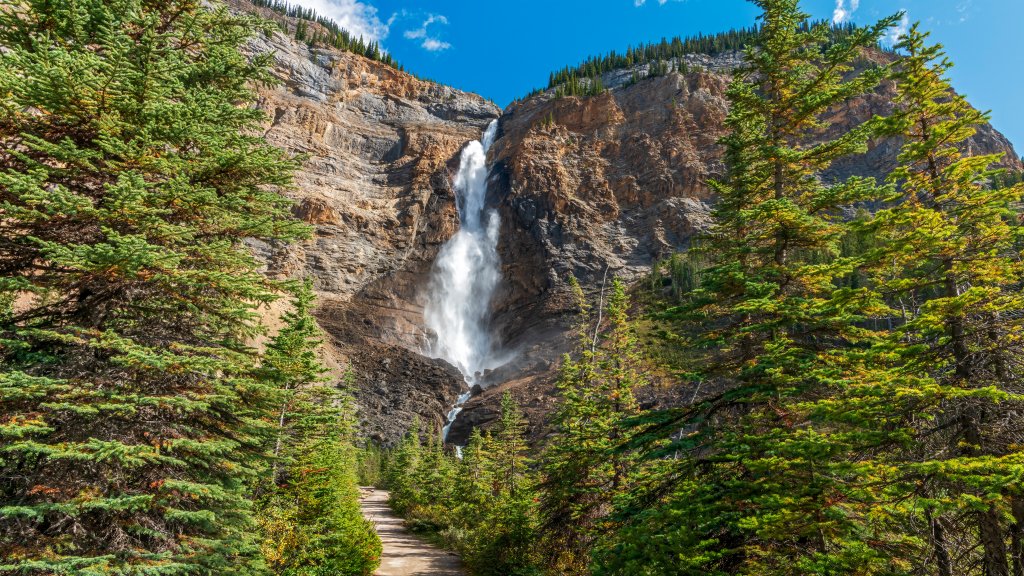
Takakkaw Falls, Yoho National Park, BC, Canada
Sign in to add this photo to your favorites and desktop wallpaper rotation.
Takakkaw Falls is a stunning waterfall located in Yoho National Park in British Columbia, Canada. It is one of the tallest waterfalls in Canada, with a total height of approximately 373 meters (1,224 feet). The name "Takakkaw" is derived from the Cree language, meaning "magnificent," which aptly describes the breathtaking sight of the falls. The falls are fed by the Daly Glacier, which is part of the Waputik Icefield. The water cascades down the cliff face in a spectacular display, especially during the late spring and early summer when the snowmelt is at its peak. The main drop of the waterfall is about 254 meters (833 feet), making it a prominent feature in the landscape. Takakkaw Falls is accessible via the Yoho Valley Road, which is open seasonally from late June to early October, depending on weather conditions. The road is a scenic drive that offers beautiful views of the surrounding mountains and forests. Once at the parking area, visitors can take a short walk to the base of the falls to experience its power and beauty up close. The area around Takakkaw Falls offers various hiking opportunities, with trails ranging from easy walks to more challenging hikes. The falls are also a popular spot for photography, picnicking, and simply enjoying the natural beauty of the Canadian Rockies. Yoho National Park, where Takakkaw Falls is located, is part of the Canadian Rocky Mountain Parks UNESCO World Heritage Site. The park is known for its stunning landscapes, diverse wildlife, and outdoor recreational activities, making it a popular destination for nature lovers and adventure seekers.