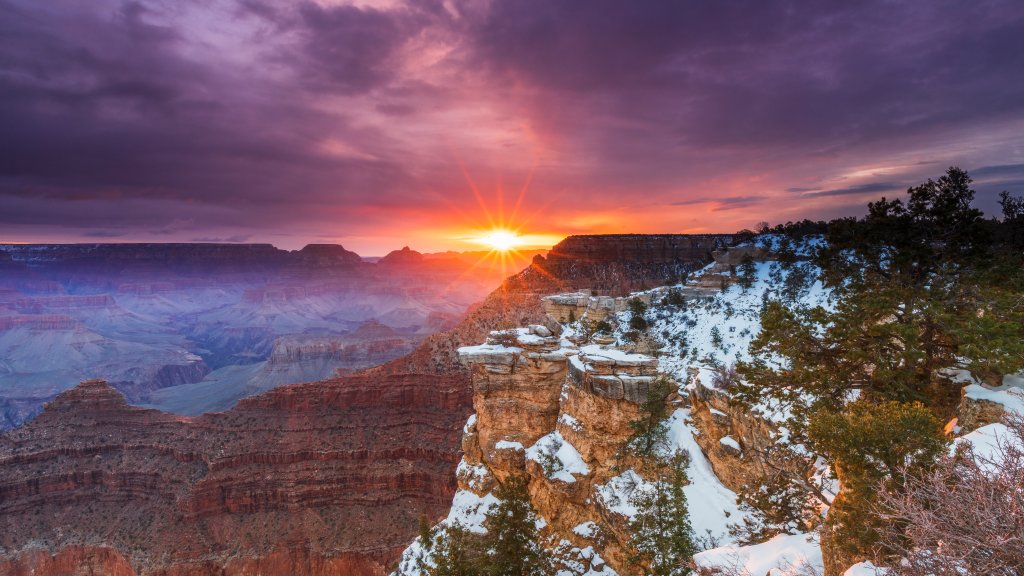
Mather Point, Grand Canyon NP, Arizona
Sign in to add this photo to your favorites and desktop wallpaper rotation.
Mather Point is one of the most popular and accessible viewpoints at the South Rim of the Grand Canyon in Grand Canyon National Park, Arizona. Named after Stephen Mather, the first director of the National Park Service, Mather Point offers breathtaking panoramic views of the canyon's vast expanse. It is located near the Grand Canyon Visitor Center, making it a convenient stop for visitors. The viewpoint features several railed overlooks that provide safe vantage points for viewing the canyon's stunning geological formations, vibrant colors, and the Colorado River far below. Mather Point is especially popular at sunrise and sunset when the play of light dramatically enhances the canyon's natural beauty. The area around Mather Point is equipped with amenities such as restrooms, parking lots, and paved walkways, making it accessible for visitors of all ages and abilities. It serves as a starting point for many visitors who wish to explore the South Rim, whether by taking short walks along the Rim Trail or embarking on more extensive hikes. Due to its popularity, Mather Point can become crowded, especially during peak tourist seasons. Visitors are encouraged to arrive early or visit during off-peak times to fully enjoy the serene and awe-inspiring views.