Tarantula Nebula
Sign in to add this photo to your favorites and desktop wallpaper rotation.
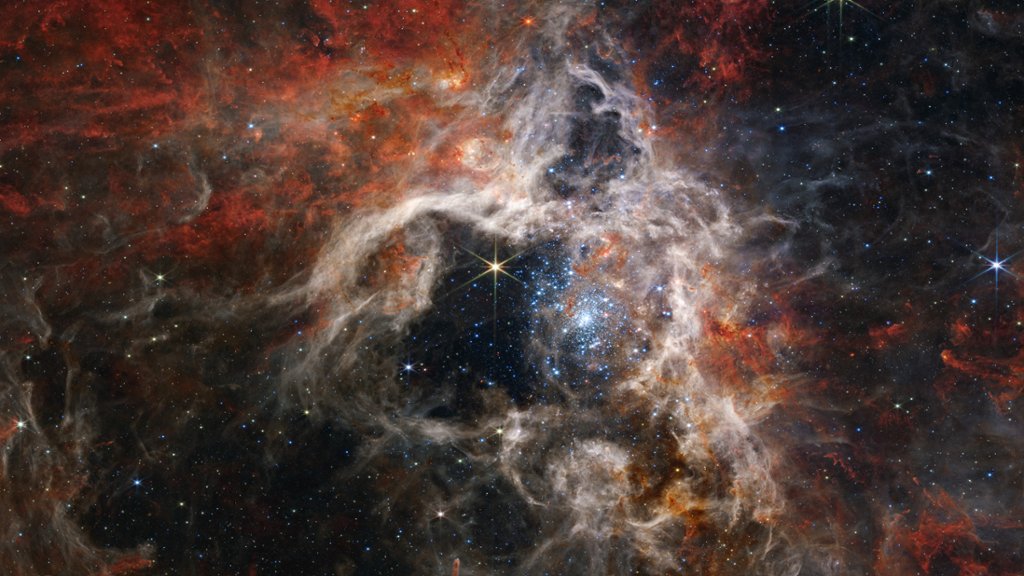
Tarantula Nebula, also known as 30 Doradus, is a giant star-forming region located in the Large Magellanic Cloud, a satellite galaxy of the Milky Way. It is one of the largest and brightest nebulae in the Local Group of galaxies, spanning over 600 light-years across. The Tarantula Nebula is named after its spider-like appearance, with long, dark filaments of dust and gas stretching out from a central glowing region filled with hot, young stars. This central region, known as R136, contains some of the most massive and luminous stars in the known universe, with over 30 stars more than 100 times the mass of the sun. The intense radiation and stellar winds from these massive stars have carved out cavities and ionized the surrounding gas, creating a complex network of bright filaments and dark pillars. The Tarantula Nebula is also home to numerous supernova remnants, where massive stars have exploded at the end of their lives. Due to its proximity and brightness, the Tarantula Nebula has been extensively studied by astronomers using a variety of telescopes and instruments, revealing new insights into the process of star formation and the evolution of massive stars.