Close up of a Wave, Waimea Bay, Hawaii
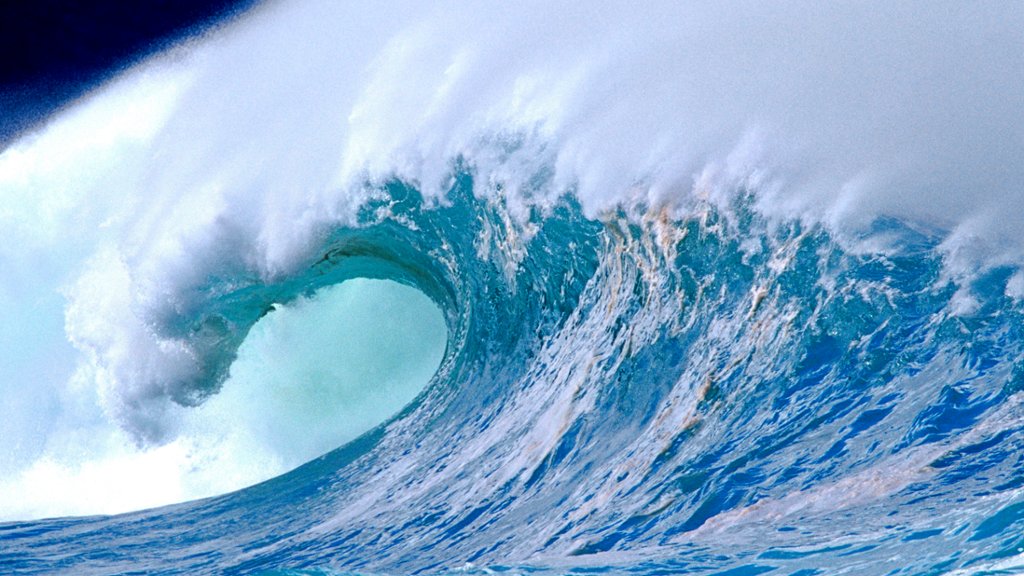
Close up of a Wave, Waimea Bay, Hawaii - desktop wallpaper

Sign in to add this photo to your favorites and desktop wallpaper rotation.

Close up of a Wave, Waimea Bay, Hawaii is a stunning photograph capturing the beauty and power of a crashing wave at Waimea Bay, a world-renowned surf spot on the North Shore of Oahu. The image showcases the intricate details of the wave as it curls and crashes, creating a mesmerizing display of water in motion. The photographer has skillfully captured the energy and movement of the wave, highlighting the dynamic and ever-changing nature of the ocean. The crystal-clear water and vibrant blue hues add to the overall sense of tranquility and awe-inspiring beauty of the scene. This close-up perspective allows viewers to appreciate the raw power and beauty of the ocean, showcasing the natural elements at play in this iconic surf destination. The image serves as a reminder of the incredible forces of nature and the mesmerizing beauty of the sea.


How to Set as Desktop Wallpaper

Download this photo and set it as your desktop background in seconds. Works on Windows and Mac.

Windows 11

  1. Right-click the image above and choose Save image as…
  2. Open Settings → Personalization → Background.
  3. Under Personalize your background, select Picture.
  4. Click Browse photos and pick the downloaded file.

Windows 10

  1. Right-click the image above and choose Save image as…
  2. Right-click the saved file and select Set as desktop background.
  3. Or open Settings → Personalization → Background and browse to the file.

macOS

  1. Control-click the image above and choose Save Image As…
  2. Open System Settings → Wallpaper (or System Preferences → Desktop & Screen Saver on older macOS).
  3. Click Add Photo and select the downloaded file.

Prefer one-click install and automatic rotation? Download the free Webshots app for Windows and Mac.


Browse All Wallpaper Categories