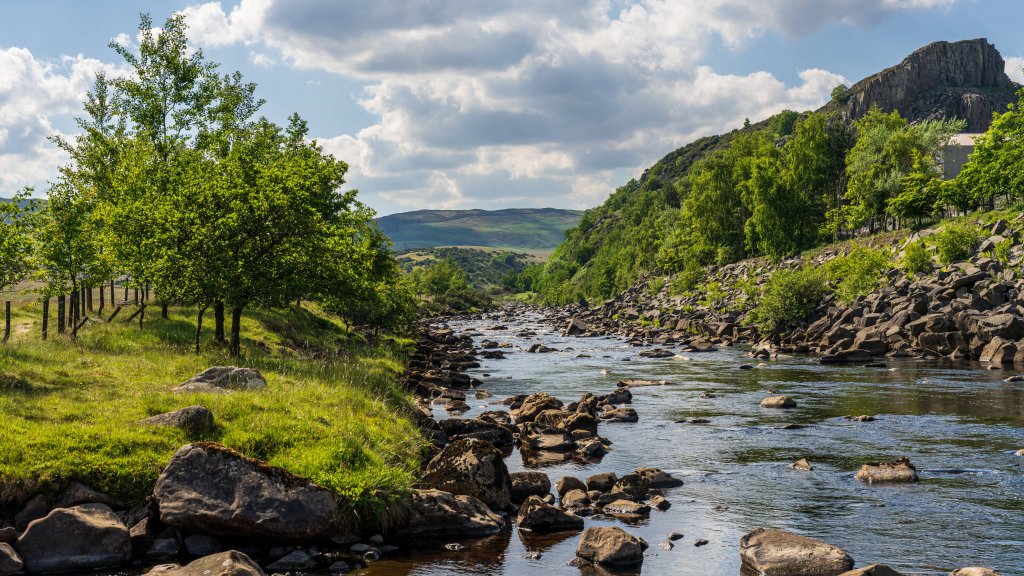
The Pennine Way and the River Tees, UK
Sign in to add this photo to your favorites and desktop wallpaper rotation.
The Pennine Way is one of the most famous long-distance walking trails in the United Kingdom. It stretches for approximately 268 miles (431 kilometers) from Edale in Derbyshire to Kirk Yetholm in the Scottish Borders. The trail traverses the Pennines, often referred to as the "backbone of England," and offers a diverse range of landscapes, including moorlands, valleys, and rugged hills. It is renowned for its challenging terrain and stunning scenery, attracting hikers from around the world. The River Tees is a significant river in Northern England, flowing for about 85 miles (137 kilometers) from its source in the North Pennines to the North Sea at Teesmouth. The river is known for its dramatic waterfalls, such as High Force, which is one of the most impressive waterfalls in England. The River Tees passes through a variety of landscapes, including the scenic Teesdale, and is an important natural and cultural feature of the region. The Pennine Way intersects with the River Tees in the area known as Teesdale. This section of the trail is particularly popular among hikers due to its picturesque views and natural attractions. Walking along the Pennine Way in this region offers the opportunity to experience the beauty of the river and its surroundings, including the chance to see High Force and other notable features. The combination of the Pennine Way and the River Tees provides a memorable experience for outdoor enthusiasts and nature lovers.