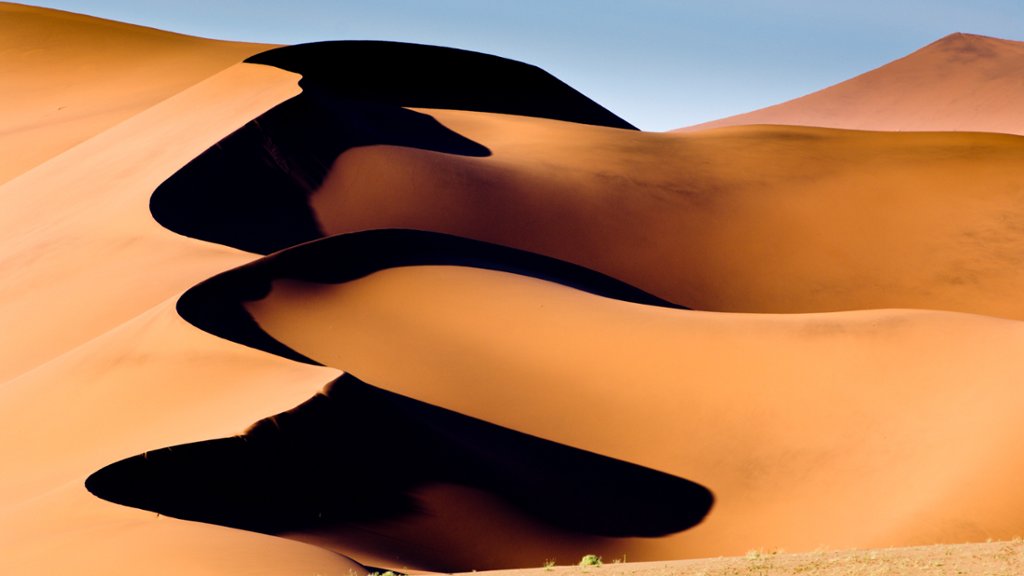
Sand Dunes at Sossusvlei, Namib Desert, Namibia
Sign in to add this photo to your favorites and desktop wallpaper rotation.
The sand dunes at Sossusvlei in the Namib Desert are some of the highest in the world, with some reaching heights of over 300 meters (almost 1,000 feet). They are known for their vibrant orange and red colors, which are most striking at sunrise and sunset. These dunes are formed by the wind carrying sand from the coast and depositing it in the desert, where it is shaped by the elements over time. The dunes are constantly shifting and changing, creating a dynamic landscape that is both beautiful and awe-inspiring. Sossusvlei is a popular tourist destination, with visitors from around the world coming to marvel at the towering dunes and unique desert scenery. Activities in the area include hiking to the top of the dunes for panoramic views, taking guided tours to learn about the desert ecosystem, and even trying your hand at sandboarding down the dunes. The area is also home to a variety of desert-adapted wildlife, including oryx, springbok, and ostriches, making it a great spot for nature lovers and wildlife enthusiasts. Whether you're looking for adventure, photography opportunities, or simply a peaceful escape into the desert wilderness, the sand dunes at Sossusvlei are sure to leave a lasting impression.