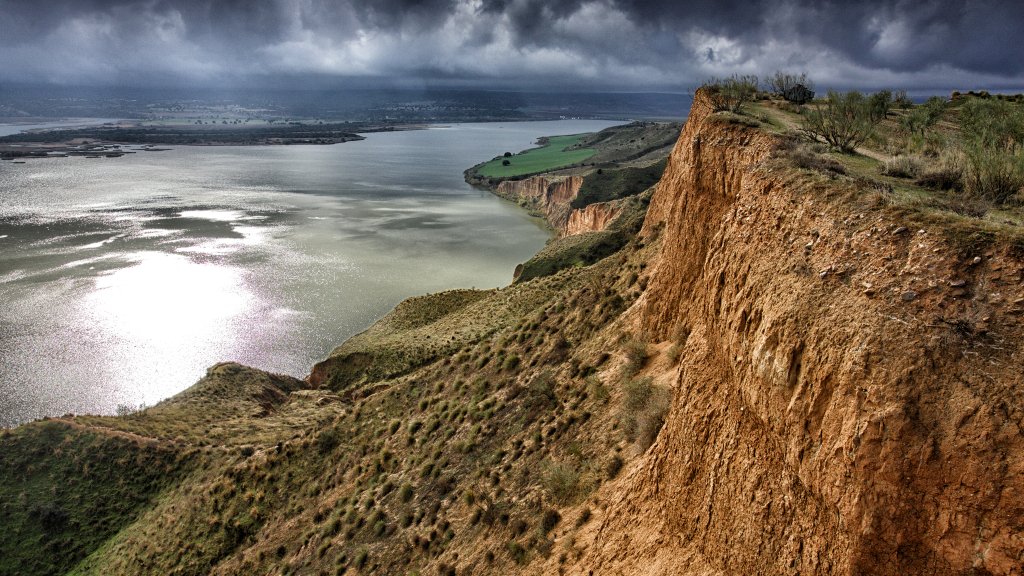
Natural Park of Barrancas de Burujon, Toledo,Spain
Sign in to add this photo to your favorites and desktop wallpaper rotation.
The Natural Park of Barrancas de Burujon is located in the province of Toledo, in the region of Castilla-La Mancha, Spain. It is a unique natural area characterized by its impressive limestone cliffs, known as barrancas, which were formed by the erosion of the Tagus River over thousands of years. The park covers an area of around 500 hectares and is home to a variety of flora and fauna, including rare and endangered species such as the Spanish imperial eagle and the black stork. The park is also a popular destination for birdwatchers, as it is a key stopping point for migratory birds traveling between Europe and Africa. Visitors to the Natural Park of Barrancas de Burujon can enjoy a range of outdoor activities, including hiking, rock climbing, and birdwatching. There are several well-marked trails that lead through the park, offering stunning views of the cliffs and the surrounding countryside. In addition to its natural beauty, the park also has cultural significance, as it is home to several archaeological sites dating back to the Roman and Visigothic periods. The park is easily accessible from the nearby city of Toledo and is a popular day trip destination for visitors looking to escape the hustle and bustle of city life and immerse themselves in nature.