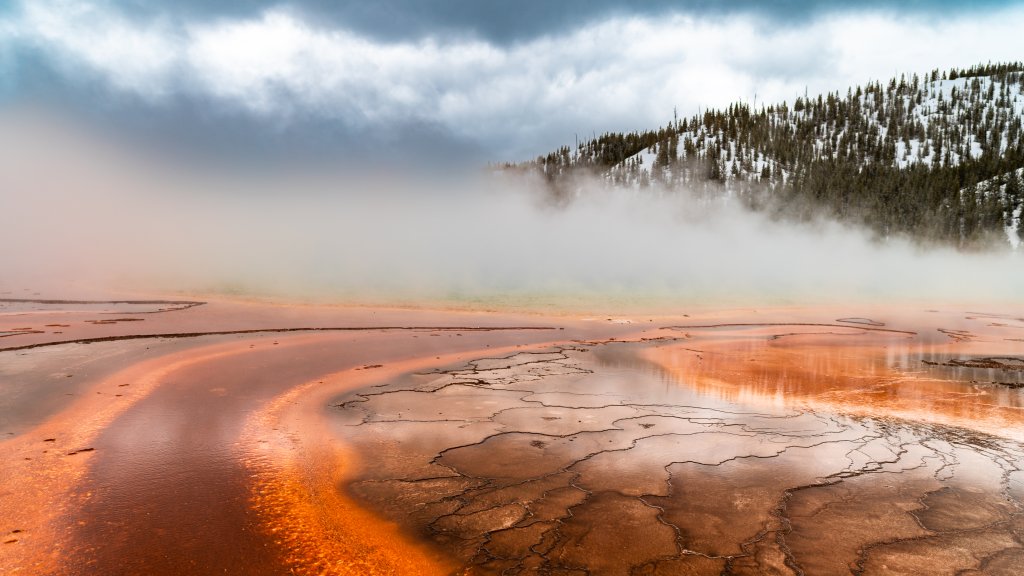
Grand Prismatic Spring, Yellowstone NP, WY
Sign in to add this photo to your favorites and desktop wallpaper rotation.
Grand Prismatic Spring is one of the most iconic and visually stunning features in Yellowstone National Park, located in Wyoming, USA. It is the largest hot spring in the United States and the third largest in the world. The spring is renowned for its striking colors, which resemble a rainbow or prism, hence its name. The vibrant hues of Grand Prismatic Spring are a result of microbial mats that thrive in the mineral-rich, hot water. These mats contain different types of bacteria that produce colors ranging from green and yellow to orange and red, depending on the temperature of the water. The center of the spring is a deep blue, which is typical of very hot water where fewer organisms can survive. Grand Prismatic Spring measures approximately 370 feet in diameter and is about 121 feet deep. The temperature of the water in the spring can reach up to 160 degrees Fahrenheit (about 70 degrees Celsius). The spring is located in the Midway Geyser Basin, which is part of the larger Yellowstone Caldera, an area known for its geothermal activity. Visitors to Yellowstone can view Grand Prismatic Spring from the ground level via boardwalks that provide a close-up view of the spring and its surrounding area. For a more panoramic view, many visitors hike to an overlook on a nearby hill, which offers a breathtaking perspective of the spring's full spectrum of colors. Grand Prismatic Spring is a testament to the unique geothermal features of Yellowstone National Park and is a must-see for anyone visiting the area. Its vibrant colors and immense size make it a natural wonder that captures the imagination of all who see it.