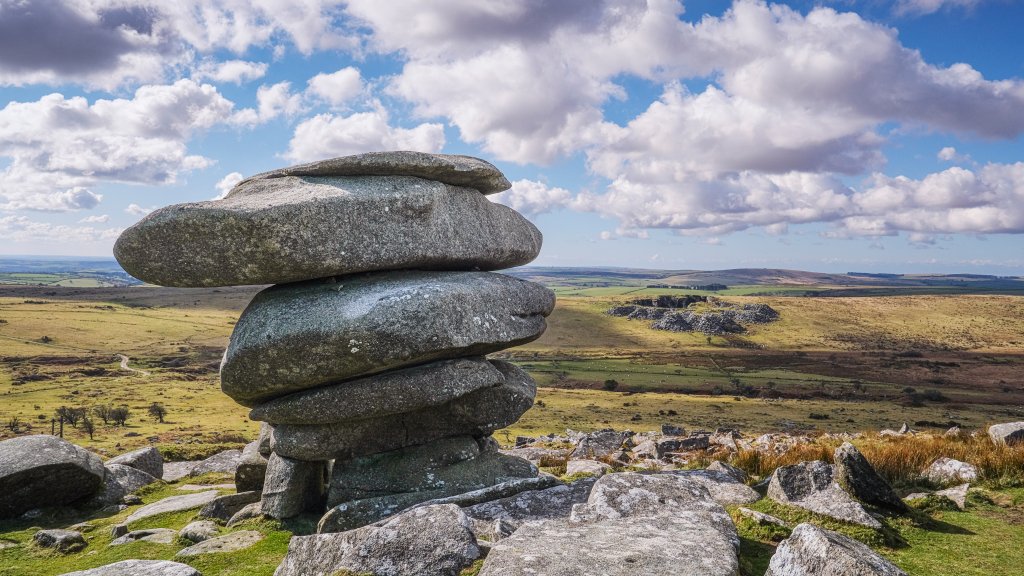
Cheesewring, Stowes Hill on Bodmin Moor, Cornwall, UK
Sign in to add this photo to your favorites and desktop wallpaper rotation.
Cheesewring is a natural rock formation located on Stowes Hill, which is part of Bodmin Moor in Cornwall, UK. It is a striking geological feature that consists of a series of large, stacked granite boulders. These boulders have been shaped over time by natural weathering processes, resulting in their unique, top-heavy appearance that resembles a stack of cheese rounds, hence the name "Cheesewring." The formation is believed to have been created during the last Ice Age, as the granite was subjected to freeze-thaw cycles and erosion. The softer rock layers eroded away more quickly than the harder layers, leading to the distinctive shape seen today. Cheesewring is not only a natural wonder but also a site of historical and cultural significance. The area around Stowes Hill has evidence of ancient human activity, including Neolithic and Bronze Age remains such as stone circles and burial cairns. The hill offers panoramic views of the surrounding moorland, making it a popular destination for hikers and tourists interested in both natural beauty and history. The site is accessible via walking trails, and visitors are encouraged to explore the area responsibly to preserve its natural and historical integrity. Cheesewring is part of the rugged and scenic landscape of Bodmin Moor, which is designated as an Area of Outstanding Natural Beauty (AONB) in Cornwall.