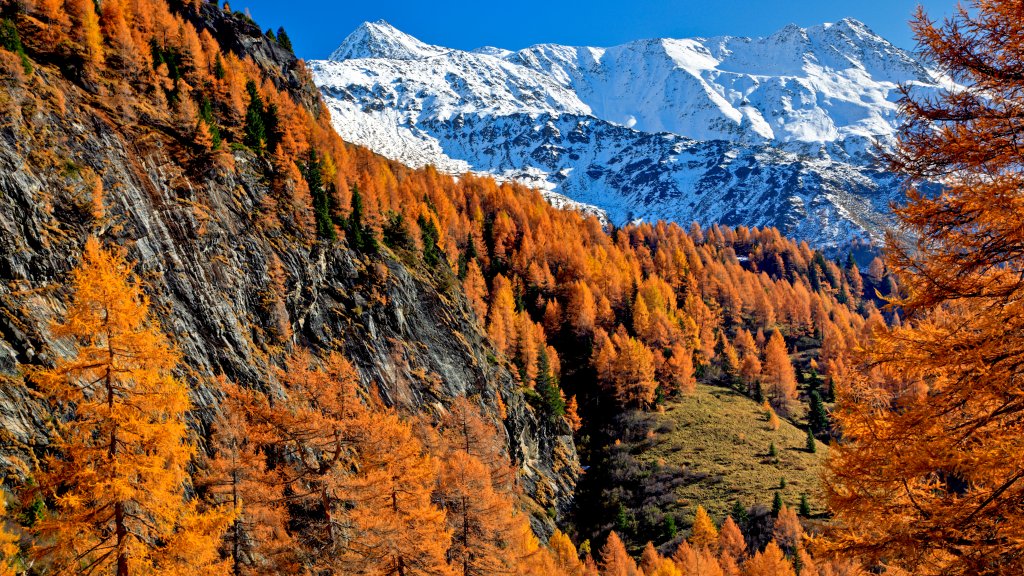
Kalser Valley, Hohe Tauern National Park, Austria
Sign in to add this photo to your favorites and desktop wallpaper rotation.
Kalser Valley is a picturesque region located within the Hohe Tauern National Park in Austria. This national park is one of the largest in Europe and is renowned for its stunning alpine landscapes, diverse ecosystems, and rich biodiversity. Kalser Valley, in particular, offers visitors a unique opportunity to experience the natural beauty and tranquility of the Austrian Alps. The valley is characterized by its dramatic mountain scenery, including towering peaks, lush meadows, and pristine rivers. It is a popular destination for outdoor enthusiasts, offering a wide range of activities such as hiking, mountaineering, and wildlife watching. Trails in the area vary in difficulty, catering to both casual walkers and experienced hikers. Kalser Valley is also home to traditional alpine villages that provide a glimpse into the local culture and way of life. Visitors can explore charming settlements, enjoy regional cuisine, and experience the hospitality of the local communities. The Hohe Tauern National Park, encompassing Kalser Valley, is dedicated to preserving the natural environment and promoting sustainable tourism. Efforts are made to protect the unique flora and fauna of the region, including species such as the golden eagle, ibex, and marmot. Overall, Kalser Valley in the Hohe Tauern National Park is a destination that offers breathtaking natural beauty, outdoor adventure, and cultural experiences, making it a must-visit for nature lovers and travelers seeking an authentic alpine experience.
Set Kalser Valley, Hohe Tauern National Park, Austria as your wallpaper — automatically
Webshots rotates photos like this one as your desktop background on a schedule. Free app for Windows and Mac — includes a screensaver, playlists, and a daily photo feed.
- One click to set any Webshots photo as your wallpaper
- Rotate hourly, daily, or shuffle from thousands of HD & 4K photos
- Built-in screensaver cycles your favorites when idle
Available for Windows & Mac
Download Webshots — free