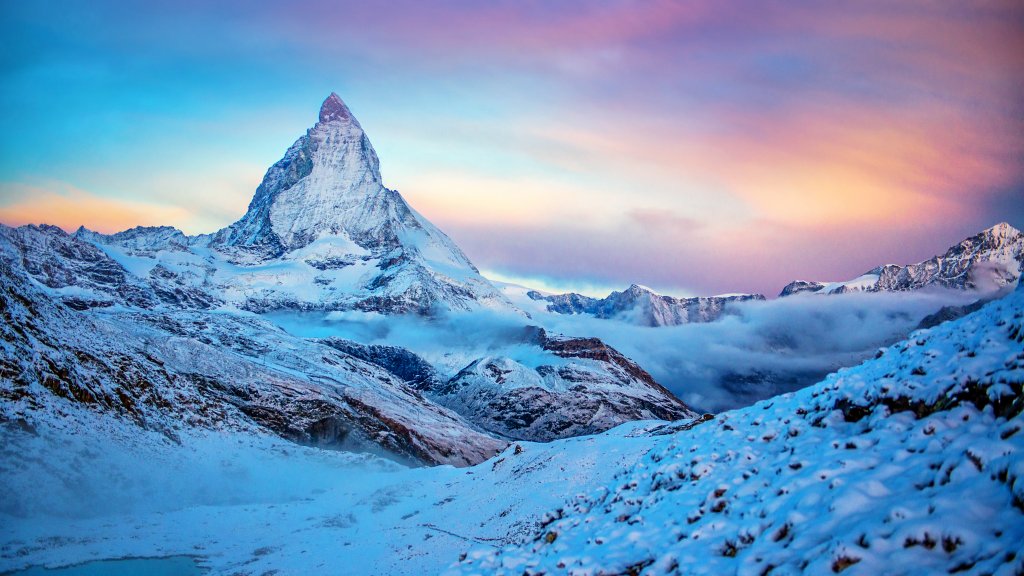
Matterhorn, Zermatt, Swiss Alps
Sign in to add this photo to your favorites and desktop wallpaper rotation.
Zermatt is a picturesque mountain resort town located in the Swiss Alps, renowned for its proximity to the iconic Matterhorn. The Matterhorn is one of the most famous mountains in the world, known for its distinctive pyramid shape and standing at 4,478 meters (14,692 feet) tall. It straddles the border between Switzerland and Italy and is a popular destination for mountaineers and tourists alike. Zermatt itself is a car-free village, which adds to its charm and ensures a peaceful environment. Visitors typically reach the town by train, with the final leg of the journey often taken on the scenic Glacier Express. The town offers a range of activities throughout the year. In winter, it is a haven for skiing and snowboarding, with numerous slopes and trails catering to all skill levels. In summer, hiking and climbing are popular, with trails offering breathtaking views of the surrounding peaks. The village is also known for its charming chalets, luxury hotels, and a variety of dining options, from traditional Swiss cuisine to international fare. Zermatt's tourism infrastructure is well-developed, making it a comfortable base for exploring the region. The Matterhorn itself has a rich history of mountaineering. The first successful ascent was made in 1865 by a team led by Edward Whymper, although the climb ended tragically with the deaths of four team members during the descent. Today, the mountain remains a challenging climb, attracting experienced climbers from around the world. Overall, Zermatt and the Matterhorn offer a unique blend of natural beauty, outdoor adventure, and Swiss hospitality, making it a must-visit destination for nature lovers and adventure seekers.