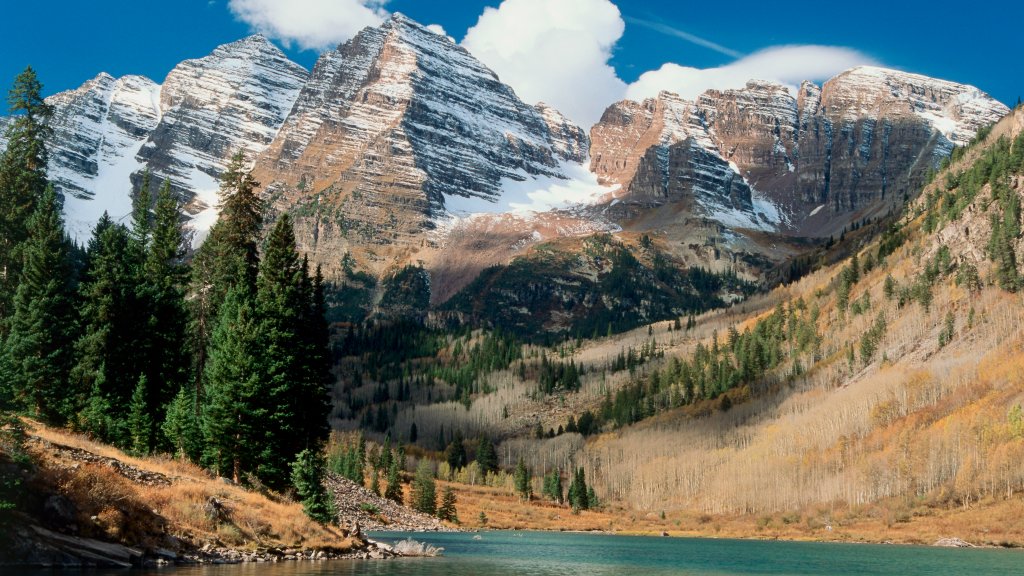
Maroon Bells-Snowmass Wilderness, Colorado
Sign in to add this photo to your favorites and desktop wallpaper rotation.
The Maroon Bells-Snowmass Wilderness is a stunning protected area located in the Elk Mountains of central Colorado. It spans over 181,000 acres and is known for its breathtaking landscapes, which include rugged mountain peaks, alpine lakes, dense forests, and expansive meadows. The wilderness is named after the iconic Maroon Bells, two peaks that are among the most photographed in North America due to their distinctive bell shape and striking appearance. Established in 1964, the Maroon Bells-Snowmass Wilderness is part of the White River and Gunnison National Forests. It offers a wide range of recreational opportunities, including hiking, backpacking, camping, fishing, and wildlife viewing. The area features over 100 miles of trails, with popular routes like the Four Pass Loop, which provides hikers with challenging terrain and stunning views of the surrounding mountains and valleys. The wilderness is home to diverse flora and fauna, including species such as elk, black bears, mountain goats, and a variety of bird species. The elevation in the area ranges from about 8,400 feet to over 14,000 feet, contributing to the diverse ecosystems found within the wilderness. Visitors to the Maroon Bells-Snowmass Wilderness are encouraged to practice Leave No Trace principles to preserve the natural beauty and ecological integrity of the area. Due to its popularity, especially near the Maroon Bells, access is regulated during peak seasons to minimize environmental impact and ensure a quality experience for all visitors.