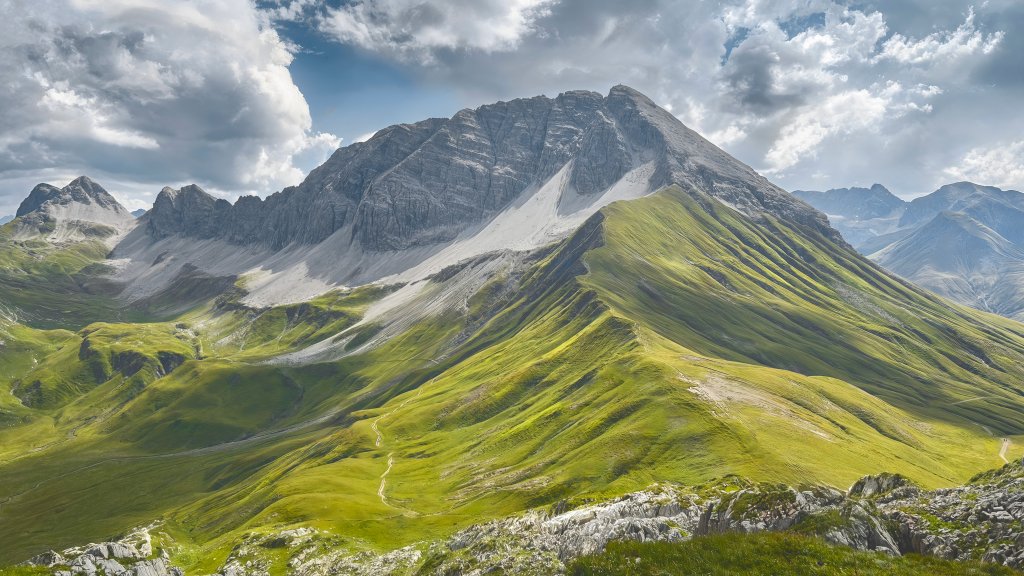
Lechtal Alps, Austria
Sign in to add this photo to your favorites and desktop wallpaper rotation.
The Lechtal Alps are a mountain range located in the Northern Limestone Alps, primarily in the Austrian state of Tyrol, with a small portion extending into Bavaria, Germany. Known for their rugged beauty and dramatic landscapes, the Lechtal Alps are a popular destination for outdoor enthusiasts, including hikers, climbers, and skiers. The range is named after the Lech River, which flows through the region and adds to its picturesque scenery. The highest peak in the Lechtal Alps is Parseierspitze, standing at 3,036 meters (9,961 feet), making it the only peak in the Northern Limestone Alps that exceeds 3,000 meters. The area is characterized by its limestone and dolomite rock formations, which create striking cliffs and sharp ridges. The diverse terrain offers a variety of outdoor activities, from challenging climbs to more accessible hiking trails. The Lechtal Alps are also home to several alpine huts and refuges, providing shelter and amenities for trekkers exploring the region. In addition to its natural beauty, the Lechtal Alps are rich in biodiversity, with a variety of flora and fauna adapted to the alpine environment. The region's cultural heritage is also notable, with traditional Tyrolean villages dotting the landscape, offering a glimpse into the local customs and way of life. Overall, the Lechtal Alps are a captivating destination for those seeking adventure and natural beauty in the heart of the European Alps.