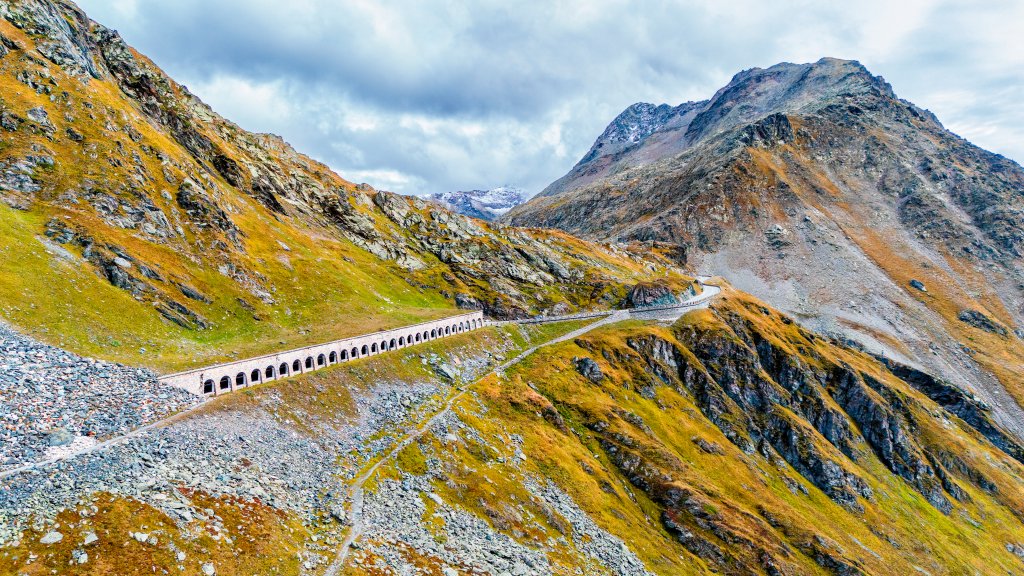
Great Sankt Bernhard Pass, Wallis Alps, Switzerland
Sign in to add this photo to your favorites and desktop wallpaper rotation.
The Great St. Bernard Pass is a high mountain pass located in the Wallis Alps, straddling the border between Switzerland and Italy. It is one of the most famous and historically significant passes in the Alps, with an elevation of approximately 2,469 meters (8,100 feet) above sea level. The pass connects the Swiss canton of Valais with the Aosta Valley in Italy. Historically, the Great St. Bernard Pass has been a vital trade and travel route since ancient times. It was used by the Romans and later became an important pilgrimage route during the Middle Ages. The pass is named after Saint Bernard of Menthon, who founded a hospice in the 11th century to aid travelers crossing the treacherous terrain. This hospice is still in operation today and is famous for its association with the St. Bernard dogs, which were originally bred by the monks to help with rescue operations in the snowy conditions. The pass is accessible by road and is typically open from June to October, depending on weather conditions. During the winter months, it is often closed due to heavy snowfall. The area is popular with tourists for its stunning alpine scenery and offers opportunities for hiking, skiing, and exploring the historical sites. In addition to its natural beauty and historical significance, the Great St. Bernard Pass is also known for its role in various cultural references, including literature and film. It remains a symbol of the enduring human spirit and the challenges of navigating the natural world.