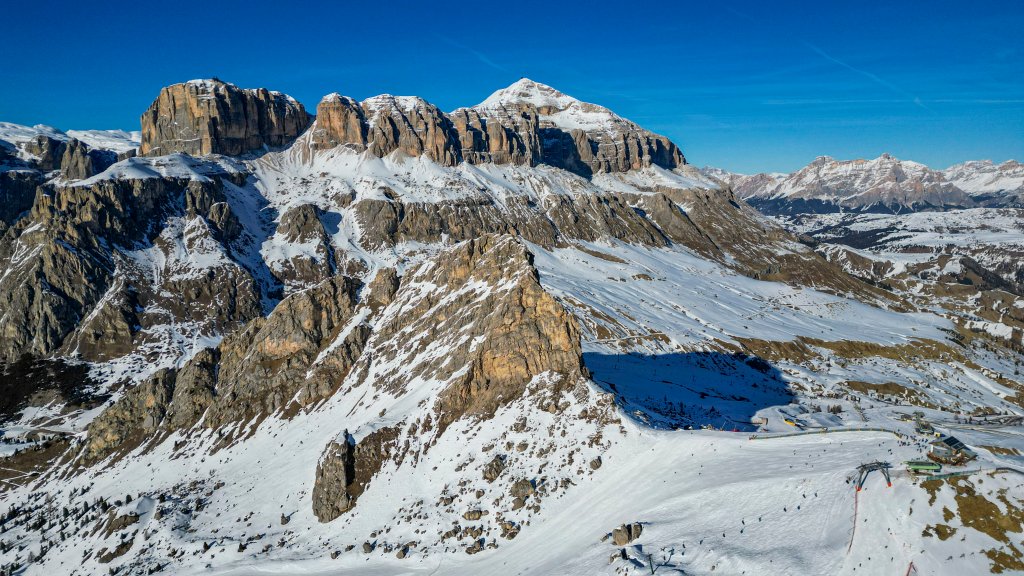
Dolomites Mountains, Italy
Sign in to add this photo to your favorites and desktop wallpaper rotation.
The Dolomites, located in northeastern Italy, are a stunning mountain range that forms part of the Southern Limestone Alps. Known for their dramatic peaks, unique geological formations, and breathtaking landscapes, the Dolomites are a popular destination for outdoor enthusiasts and nature lovers. Geologically, the Dolomites are composed primarily of dolomite rock, a type of limestone rich in magnesium. This gives the mountains their distinctive pale color and contributes to the striking appearance of the cliffs and pinnacles, especially during sunrise and sunset when they take on a pinkish hue, a phenomenon known as "enrosadira." The region is renowned for its diverse outdoor activities. In the winter, the Dolomites are a haven for skiing and snowboarding, with numerous ski resorts offering a variety of slopes for all skill levels. In the summer, the area transforms into a paradise for hikers, climbers, and cyclists, with an extensive network of trails and routes that cater to both beginners and experienced adventurers. The Dolomites are also rich in cultural heritage. The area is home to several charming villages and towns, each with its own unique traditions and cuisine. The Ladin culture, in particular, is prominent in parts of the Dolomites, with its own language and customs. In 2009, the Dolomites were designated a UNESCO World Heritage Site, recognizing their outstanding natural beauty and geological significance. This status has helped to preserve the region's unique environment and promote sustainable tourism practices. Overall, the Dolomites offer a blend of natural beauty, outdoor adventure, and cultural richness, making them a must-visit destination for travelers to Italy.