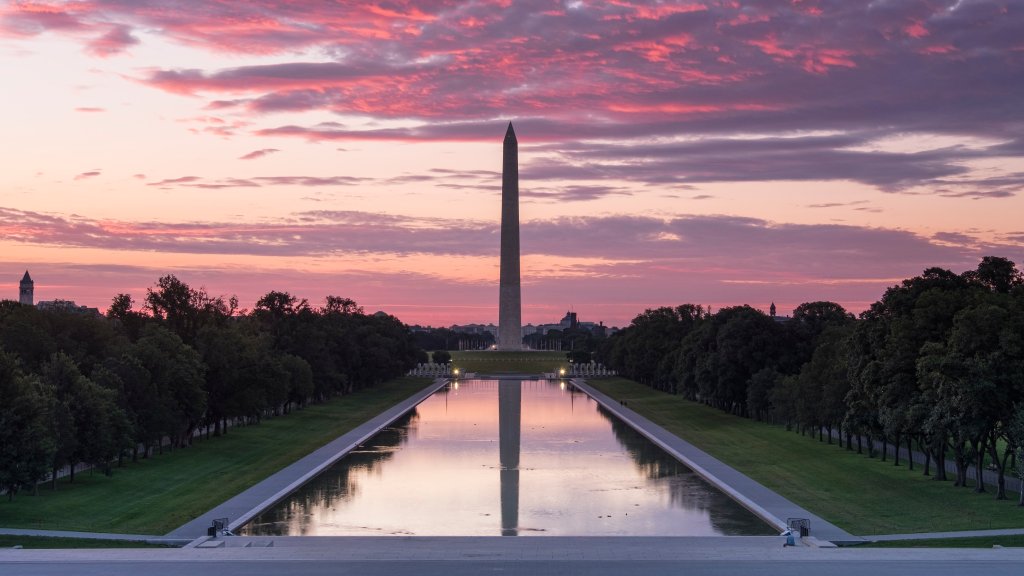
Washington Monument and Reflecting Pool, Washington, D.C.
Sign in to add this photo to your favorites and desktop wallpaper rotation.
The Washington Monument and the Reflecting Pool are iconic landmarks located on the National Mall in Washington, D.C. The Washington Monument is an obelisk that honors George Washington, the first President of the United States. Standing at approximately 555 feet tall, it is one of the most recognizable structures in the country. Construction of the monument began in 1848 but was halted due to funding issues and the Civil War, eventually being completed in 1884. The monument is made of marble, granite, and bluestone gneiss, and it was the tallest structure in the world at the time of its completion. Visitors can take an elevator to the observation deck near the top, which offers panoramic views of the city. The Reflecting Pool is located directly west of the Washington Monument, stretching towards the Lincoln Memorial. It is a long and shallow body of water that reflects the images of both the Washington Monument and the Lincoln Memorial, creating a picturesque scene. The pool is approximately 2,029 feet long and 167 feet wide, and it is a popular spot for visitors to walk along and take in the views. The Reflecting Pool has been the site of many historic events and gatherings, including Martin Luther King Jr.'s "I Have a Dream" speech during the 1963 March on Washington. Together, the Washington Monument and the Reflecting Pool form a central part of the National Mall's landscape, drawing millions of tourists each year who come to appreciate their historical and architectural significance.