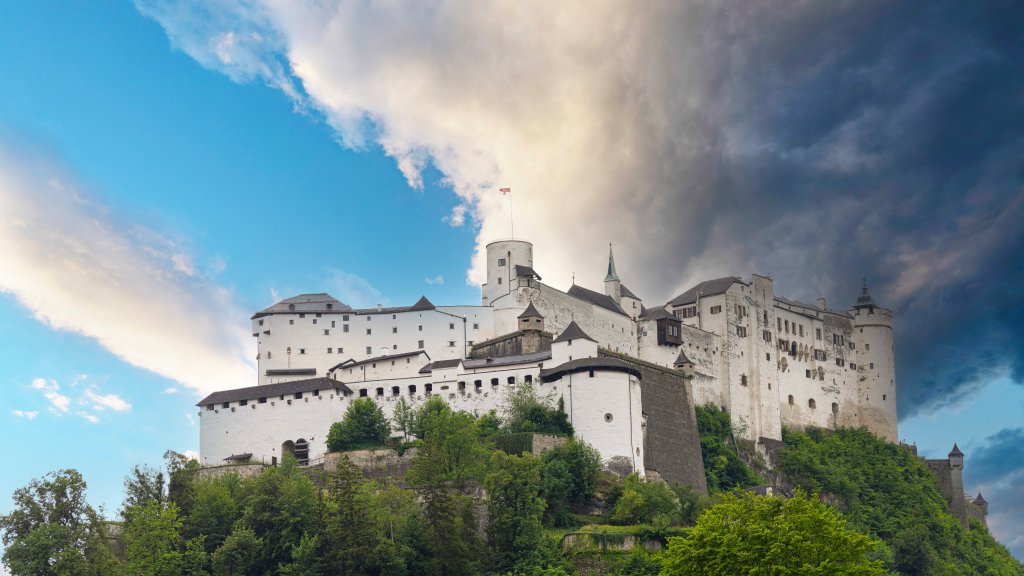
Fortress Hohensalzburg, Salzburg, Austria
Sign in to add this photo to your favorites and desktop wallpaper rotation.
Fortress Hohensalzburg is a prominent historical landmark located in Salzburg, Austria. It is one of the largest and best-preserved medieval castles in Europe. The fortress sits atop the Festungsberg, a small hill in the city, providing a commanding view of the surrounding area. Construction of the fortress began in 1077 under Archbishop Gebhard von Helfenstein and was expanded and renovated over the centuries, particularly during the reign of Archbishop Leonhard von Keutschach in the early 16th century. The fortress was originally built to protect the archbishops and the city from military threats. Over time, it served various purposes, including a military barracks, a prison, and a residence for the archbishops. Its architecture reflects a mix of Romanesque, Gothic, and Renaissance styles, with notable features including the Golden Hall, the Golden Chamber, and the bedchamber of the prince-bishops. Today, Fortress Hohensalzburg is a popular tourist attraction, offering visitors a glimpse into the region's history through its museums and exhibits. The fortress can be accessed by a funicular railway or by foot, and it hosts various cultural events and concerts throughout the year. Its strategic location and historical significance make it a symbol of Salzburg and an important cultural heritage site.