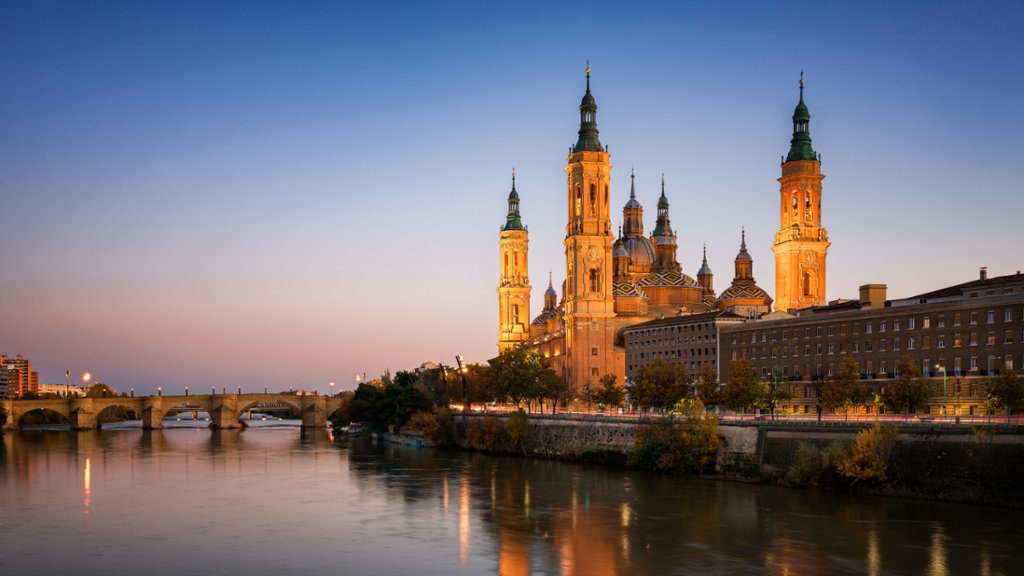
Cathedral-Basilica of Our Lady of the Pillar, Zaragoza, Spain
Sign in to add this photo to your favorites and desktop wallpaper rotation.
The Cathedral-Basilica of Our Lady of the Pillar (Catedral-Basílica de Nuestra Señora del Pilar) is a Roman Catholic church located in Zaragoza, Spain. It is one of the most important and iconic religious buildings in the country. The cathedral is dedicated to the Virgin Mary, under her title of Our Lady of the Pillar, and is the site of numerous religious pilgrimages. The cathedral is built on the site where, according to tradition, the Virgin Mary appeared to the apostle James the Greater in the 1st century. The shrine has been a place of pilgrimage for centuries and is considered to be the first Marian apparition in history. The current cathedral was built between the 17th and 18th centuries in a Baroque style, with a mix of Gothic, Renaissance, and Mudejar influences. The main façade features a large central dome flanked by two towers. The interior of the cathedral is adorned with beautiful frescoes, sculptures, and altarpieces. The Ebro River runs through the city of Zaragoza and is an important geographical and cultural landmark. The river has played a significant role in the history and development of the city, with many bridges and promenades along its banks. The Ebro River is also known for its scenic beauty, with picturesque views of the surrounding countryside. Overall, the Cathedral-Basilica of Our Lady of the Pillar and the Ebro River are two of the most iconic and significant landmarks in Zaragoza, Spain, and are must-see attractions for visitors to the city.