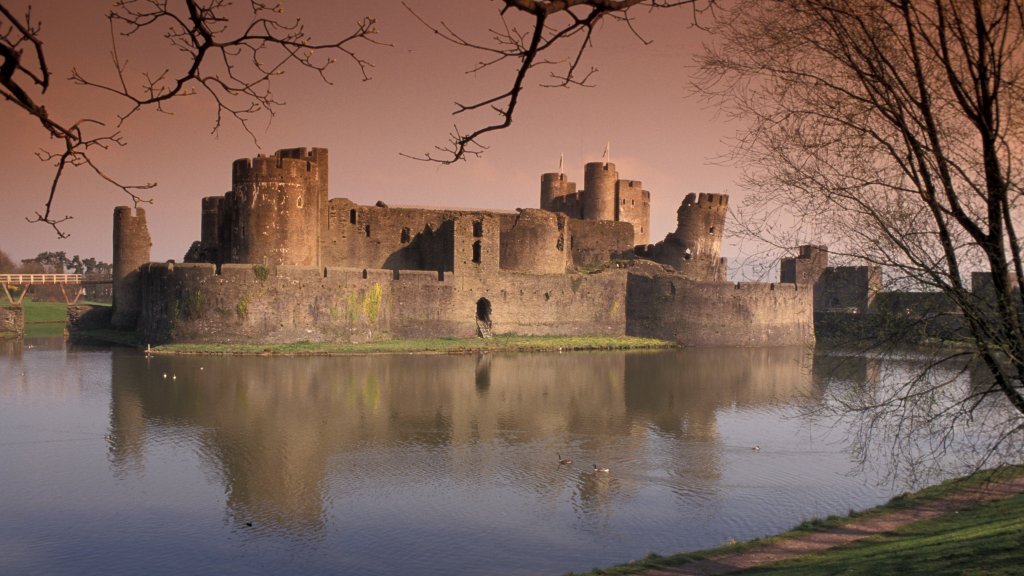
Caerphilly Castle, Wales
Sign in to add this photo to your favorites and desktop wallpaper rotation.
Caerphilly Castle is a medieval fortress located in Caerphilly, South Wales. It is one of the largest castles in the United Kingdom and the largest in Wales, covering about 30 acres. The castle was constructed by Gilbert de Clare, a powerful Norman lord, between 1268 and 1271 as part of his campaign to conquer Glamorgan. Its design features concentric defenses, a system of moats, and extensive water defenses, which were innovative for the time. The castle played a crucial role during the conflicts between the Welsh and the Normans. Its strategic location and formidable defenses made it a key stronghold in the region. Over the centuries, Caerphilly Castle has seen various sieges and battles, particularly during the Welsh Wars of Independence led by figures like Llywelyn ap Gruffudd. One of the most distinctive features of Caerphilly Castle is its leaning tower, which leans more than the famous Leaning Tower of Pisa. The castle has undergone significant restoration efforts, particularly in the 19th and 20th centuries, to preserve its structure and historical significance. Today, Caerphilly Castle is managed by Cadw, the historic environment service of the Welsh Government, and is open to the public. It serves as a popular tourist attraction, offering visitors a glimpse into medieval architecture and history. The castle also hosts various events and reenactments throughout the year, enhancing its appeal as a cultural and historical site.
Set Caerphilly Castle, Wales as your wallpaper — automatically
Webshots rotates photos like this one as your desktop background on a schedule. Free app for Windows and Mac — includes a screensaver, playlists, and a daily photo feed.
- One click to set any Webshots photo as your wallpaper
- Rotate hourly, daily, or shuffle from thousands of HD & 4K photos
- Built-in screensaver cycles your favorites when idle
Available for Windows & Mac
Download Webshots — free