Belogradchik Fortress, Bulgaria
Sign in to add this photo to your favorites and desktop wallpaper rotation.
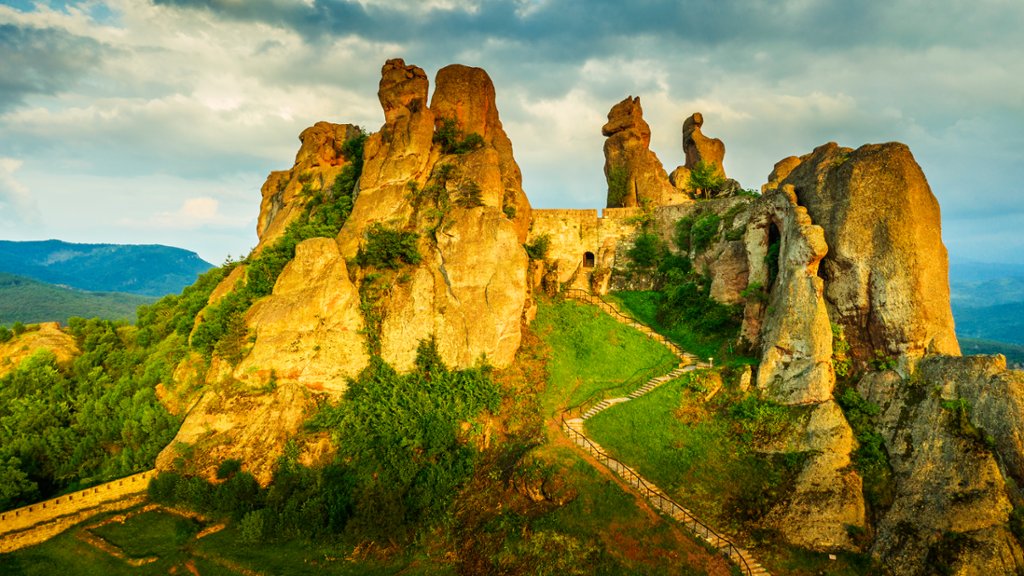
Belogradchik Fortress is a medieval citadel located on the top of a rocky hill in the town of Belogradchik in northwestern Bulgaria. The fortress is known for its stunning natural rock formations and its strategic location, which provided excellent defense against invaders. The fortress was originally built by the Romans in the 1st century AD and was later expanded and fortified by the Byzantines, Bulgarians, and Ottomans. The fortress consists of a series of walls, towers, and gates that are built into the natural rock formations, creating a unique and picturesque setting. Belogradchik Fortress has a rich history and has been the site of many battles and sieges over the centuries. Today, the fortress is a popular tourist attraction and a UNESCO World Heritage Site, drawing visitors from around the world to admire its impressive architecture and breathtaking views of the surrounding landscape. Visitors to Belogradchik Fortress can explore the maze-like passageways, climb to the top of the towers for panoramic views, and learn about the history of the fortress at the on-site museum. The fortress is also home to a summer theater that hosts cultural events and performances, making it a vibrant hub of activity in the region.