Railay Beach, Krabi Province, Thailand
Sign in to add this photo to your favorites and desktop wallpaper rotation.
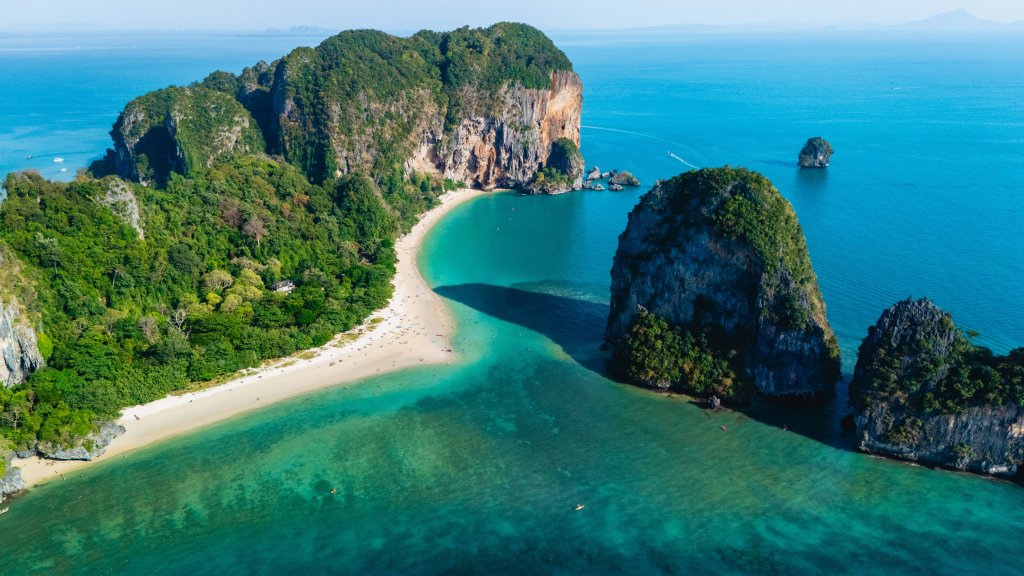
Railay Beach is a stunning destination located on the coast of the Andaman Sea in Krabi Province, Thailand. Known for its dramatic limestone cliffs, crystal-clear waters, and pristine sandy beaches, Railay is a popular spot for tourists seeking both relaxation and adventure. The area is accessible only by boat due to the surrounding cliffs, which add to its secluded charm. Railay is divided into several sections: Railay West, Railay East, Phra Nang Beach, and Tonsai Beach. Railay West is known for its beautiful sunsets and is the main beach area with a range of accommodations and dining options. Railay East, while not ideal for swimming due to its mangroves and muddy shores, offers budget accommodations and a lively nightlife scene. Phra Nang Beach is famous for its picturesque scenery and the Princess Cave, which is filled with offerings to the spirit of the drowned princess. Tonsai Beach is a favorite among rock climbers, offering challenging routes on its limestone cliffs. The area is renowned for rock climbing, with routes suitable for both beginners and experienced climbers. Other popular activities include kayaking, snorkeling, and exploring the nearby islands. Railay Beach offers a laid-back atmosphere, making it an ideal destination for those looking to unwind in a tropical paradise.