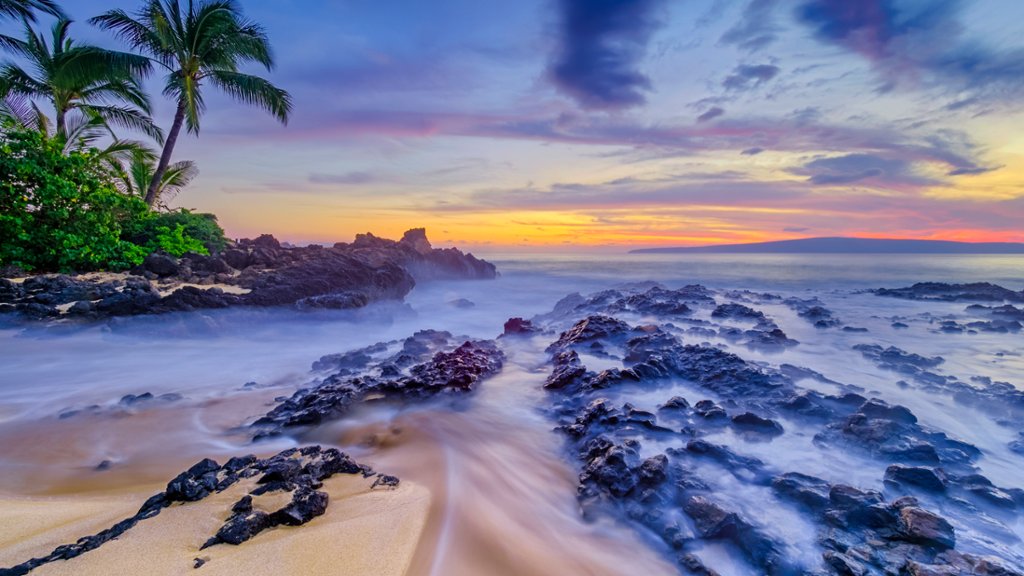
Makena Cove, Maui, Hawaii
Sign in to add this photo to your favorites and desktop wallpaper rotation.
Makena Cove, also known as Secret Beach, is a secluded and picturesque cove located along the southwestern coast of Maui, Hawaii. This hidden gem is known for its stunning white sand beach, crystal clear turquoise waters, and dramatic lava rock formations. The cove is surrounded by lush tropical vegetation, creating a tranquil and romantic setting for visitors to enjoy. Makena Cove is a popular spot for snorkeling, swimming, and sunbathing, as the calm waters and vibrant marine life make it a perfect location for water activities. The cove is also a favorite spot for couples looking for a romantic getaway or for photographers seeking to capture the natural beauty of Hawaii. Access to Makena Cove is through a small path off Makena Road, which leads visitors down to the beach. While the cove is not as well-known as some of Maui's more popular beaches, its secluded location adds to its charm and appeal. Visitors should be aware that the cove can be relatively small and may become crowded during peak times, so it is best to arrive early to secure a spot on the beach. Overall, Makena Cove is a hidden paradise on Maui that offers a peaceful and serene escape from the hustle and bustle of everyday life. Whether you are looking to relax on the beach, explore the underwater world, or simply soak in the natural beauty of Hawaii, Makena Cove is a must-visit destination on the island of Maui.