Glass Beach, Ireland Island South, Bermuda
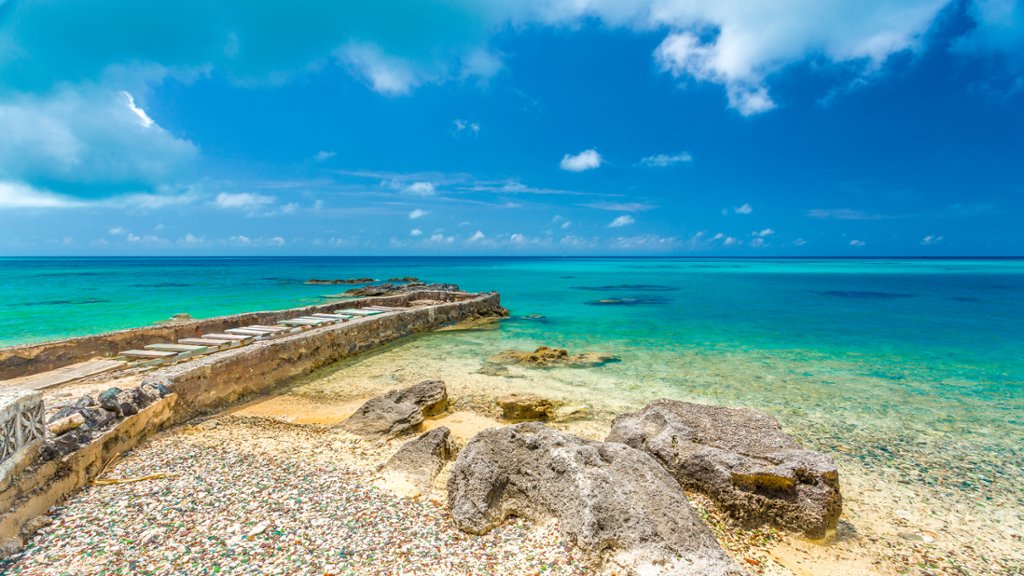
Glass Beach, Ireland Island South, Bermuda - desktop wallpaper

Sign in to add this photo to your favorites and desktop wallpaper rotation.

Glass Beach, site of large quantities of sea glass, from shipwrecks and bottles thrown into the sea from the Royal Navy Dockyard over hundreds of years. The sea glass comes in a variety of colors, including green, brown, white, and blue, and creates a stunning mosaic effect along the beach. Visitors to Glass Beach can spend hours combing the shore for these unique treasures and marveling at the beauty of the natural glass art created by the sea. In addition to the sea glass, Glass Beach also offers stunning ocean views and a peaceful, secluded atmosphere. It is a popular spot for picnics, beachcombing, and photography. Visitors can also explore the nearby Royal Naval Dockyard and historic sites on Ireland Island South. Overall, Glass Beach is a hidden gem in Bermuda and a must-visit destination for anyone looking to experience the beauty and magic of sea glass.


How to Set as Desktop Wallpaper

Download this photo and set it as your desktop background in seconds. Works on Windows and Mac.

Windows 11

  1. Right-click the image above and choose Save image as…
  2. Open Settings → Personalization → Background.
  3. Under Personalize your background, select Picture.
  4. Click Browse photos and pick the downloaded file.

Windows 10

  1. Right-click the image above and choose Save image as…
  2. Right-click the saved file and select Set as desktop background.
  3. Or open Settings → Personalization → Background and browse to the file.

macOS

  1. Control-click the image above and choose Save Image As…
  2. Open System Settings → Wallpaper (or System Preferences → Desktop & Screen Saver on older macOS).
  3. Click Add Photo and select the downloaded file.

Prefer one-click install and automatic rotation? Download the free Webshots app for Windows and Mac.


Browse All Wallpaper Categories