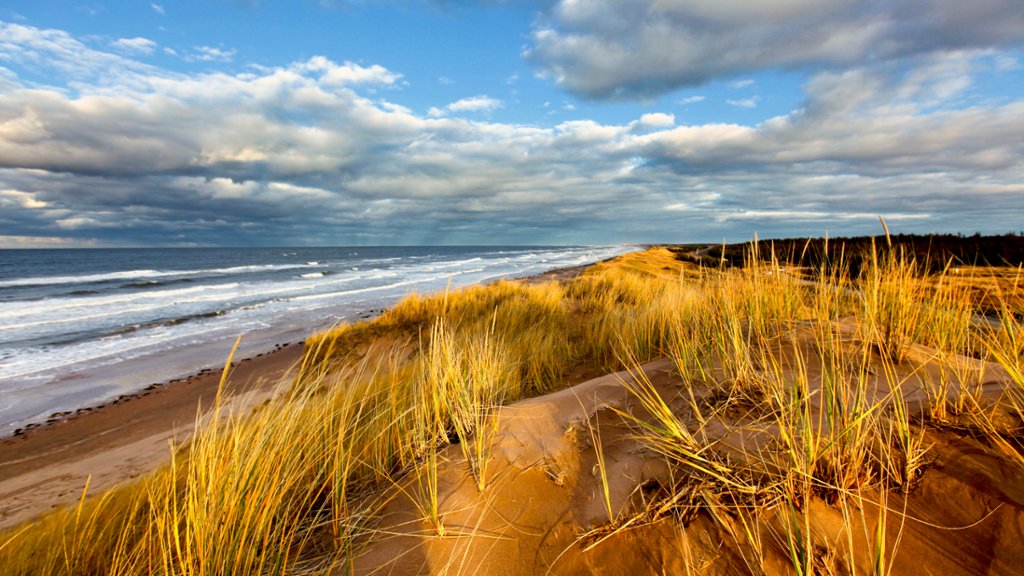
Cavendish Beach, Prince Edward Island National Park, Canada
Sign in to add this photo to your favorites and desktop wallpaper rotation.
Cavendish Beach is a popular destination located within the Prince Edward Island National Park in Canada. It is known for its stunning sandy shores, beautiful dunes, and crystal-clear waters. The beach stretches for miles along the northern coast of the island and is a favorite spot for both locals and tourists. Visitors to Cavendish Beach can enjoy a variety of activities, including swimming, sunbathing, beachcombing, and picnicking. The beach is also a great spot for surfing and paddleboarding, with waves that are suitable for both beginners and experienced surfers. The surrounding Prince Edward Island National Park offers hiking and biking trails, as well as opportunities for birdwatching and wildlife spotting. The park is home to a variety of plant and animal species, including the endangered Piping Plover bird. Cavendish Beach is also known for its connections to the classic novel "Anne of Green Gables" by Lucy Maud Montgomery. The author was inspired by the beauty of the area, and visitors can explore the nearby Green Gables Heritage Place, which is a historic site dedicated to the beloved book. Overall, Cavendish Beach is a must-visit destination for those looking to experience the natural beauty and charm of Prince Edward Island.