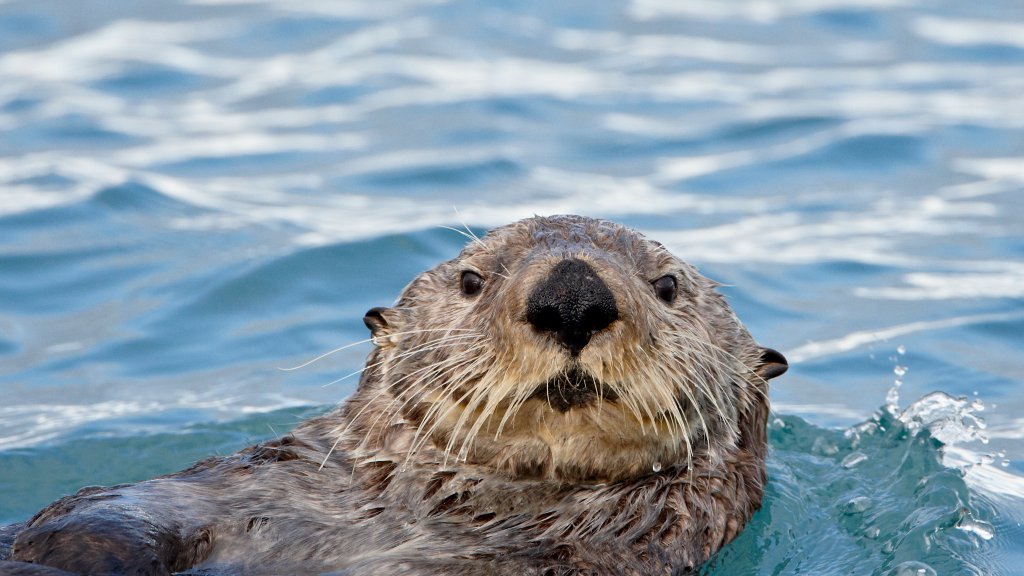
Sea Otter, Homer, Alaska
Sign in to add this photo to your favorites and desktop wallpaper rotation.
The sea otter, scientifically known as Enhydra lutris, is a marine mammal native to the coasts of the northern and eastern North Pacific Ocean. Known for their playful behavior and dense fur, sea otters are a keystone species, meaning they play a crucial role in maintaining the balance of the nearshore ecosystems, particularly kelp forests, where they often reside. Homer, Alaska, is one of the many places where sea otters can be observed in their natural habitat. Located on the Kenai Peninsula, Homer provides a rich marine environment that supports a diverse range of wildlife, including sea otters. The waters around Homer are part of the otters' natural range, offering abundant food sources such as sea urchins, crabs, and various fish species. Sea otters are particularly notable for their use of tools; they are one of the few non-human animals known to use tools in the wild. They often use rocks to crack open shellfish, showcasing their intelligence and adaptability. Their thick fur, the densest of any animal, provides insulation in the cold waters of the North Pacific, as they lack the blubber that other marine mammals have. Conservation efforts have been crucial in protecting sea otter populations, which were once severely threatened by the fur trade. Today, while their numbers have rebounded in some areas, they still face threats from oil spills, fishing net entanglement, and environmental changes. In Homer, sea otters are a popular attraction for wildlife enthusiasts and tourists, who can often see them floating on their backs in the water or foraging along the coastline. Their presence is an important indicator of the health of the marine ecosystem in the region.