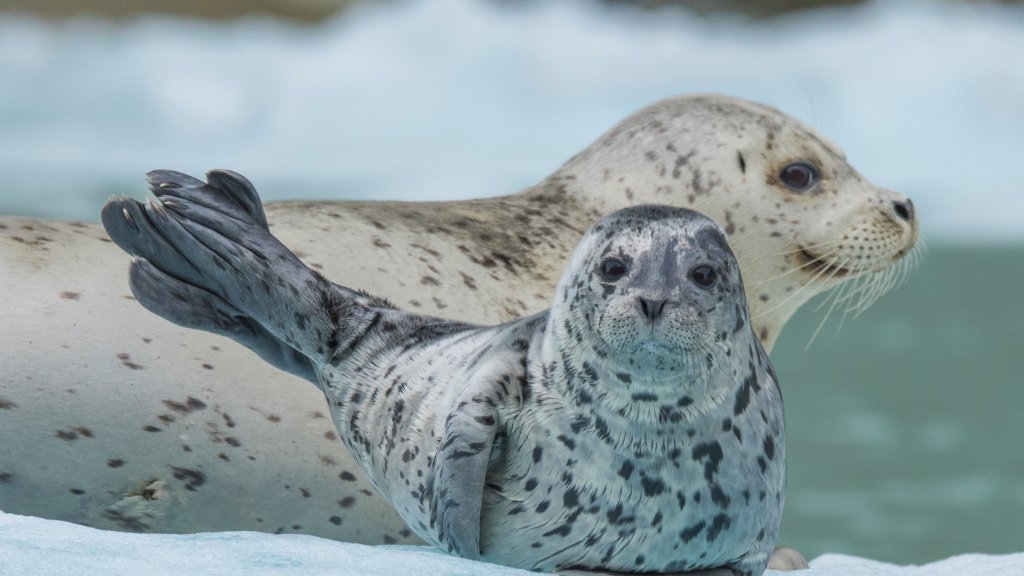
Harbor Seal and Pup , Ford's Terror Wilderness Area, AK
Sign in to add this photo to your favorites and desktop wallpaper rotation.
Harbor seals and their pups are commonly found in the Ford's Terror Wilderness Area, which is part of the Tongass National Forest in Southeast Alaska. This area is known for its stunning natural beauty, featuring dramatic fjords, lush temperate rainforests, and a diverse array of wildlife. Harbor seals are marine mammals that are well-adapted to the cold waters of Alaska. They are often seen resting on ice floes or rocky shores and are known for their spotted coats, which can vary in color from gray to brown. The Ford's Terror Wilderness Area provides an ideal habitat for harbor seals due to its protected waters and abundant food supply. The seals feed on a variety of fish and invertebrates, which are plentiful in the region. During the pupping season, which typically occurs in late spring and early summer, female harbor seals give birth to a single pup. These pups are born with a soft, white lanugo coat, which they shed after a few weeks. The mothers are highly attentive, nursing their pups and teaching them essential survival skills. The wilderness area itself is named after Ford's Terror, a narrow and treacherous waterway that can experience extreme tidal currents. This remote and rugged landscape is accessible primarily by boat or floatplane, making it a pristine and relatively undisturbed environment for wildlife. Visitors to the area may have the opportunity to observe harbor seals and their pups in their natural habitat, along with other wildlife such as bald eagles, bears, and humpback whales. The Ford's Terror Wilderness Area is a protected region, emphasizing conservation and the preservation of its unique ecosystems.