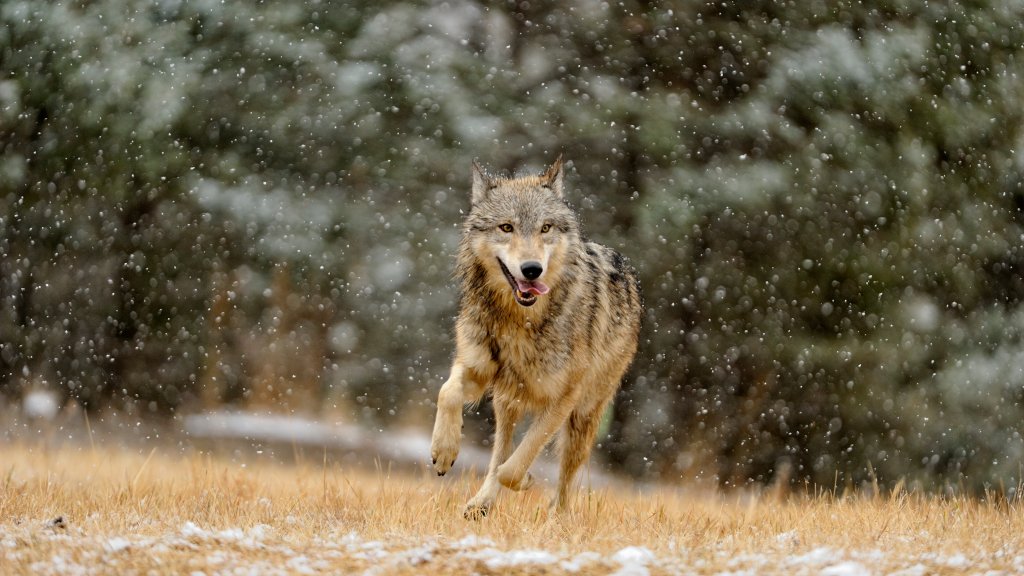
Grey Wolf, Bozeman, Montana
Sign in to add this photo to your favorites and desktop wallpaper rotation.
The grey wolf (Canis lupus) is a highly adaptable and social carnivore that once had a widespread range across North America, including the region around Bozeman, Montana. In the past, grey wolves were extirpated from much of the United States due to hunting, habitat loss, and conflicts with humans. However, conservation efforts and reintroduction programs have helped to reestablish wolf populations in certain areas, including parts of Montana. In Montana, grey wolves are primarily found in the western and central parts of the state, including areas around Bozeman. The region's diverse ecosystems, which include forests, mountains, and grasslands, provide suitable habitats for wolves. Wolves in Montana typically live in packs, which are family units consisting of an alpha pair and their offspring. These packs have defined territories and rely on a variety of prey, such as deer, elk, and smaller mammals, to sustain themselves. The reintroduction of wolves has been a subject of controversy and debate, particularly among ranchers and livestock owners who are concerned about potential predation on their animals. To address these concerns, various management strategies have been implemented, including compensation programs for livestock losses and regulated hunting seasons to control wolf populations. Overall, the presence of grey wolves in the Bozeman area and the broader Montana landscape is an important aspect of the region's biodiversity. Wolves play a crucial role in maintaining the ecological balance by controlling prey populations and influencing the behavior of other wildlife species. Their presence also attracts wildlife enthusiasts and contributes to the region's natural heritage.